Chapter 8 — Operations
AI Improvement Pipelines
Fine-tuning pipelines integrated into the Conversation Monitor, covering speech-to-text models, Large Language Models and the text-to-speech vocabulary. Each pipeline runs three stages: data preprocessing, fine-tuning and evaluation.
1. Data preprocessing
Preprocessing aggregates all improvement data collected in the platform within a given period and converts it into the format required by the specific model. When the process finishes, the output is cached and stored for the fine-tuning phase.
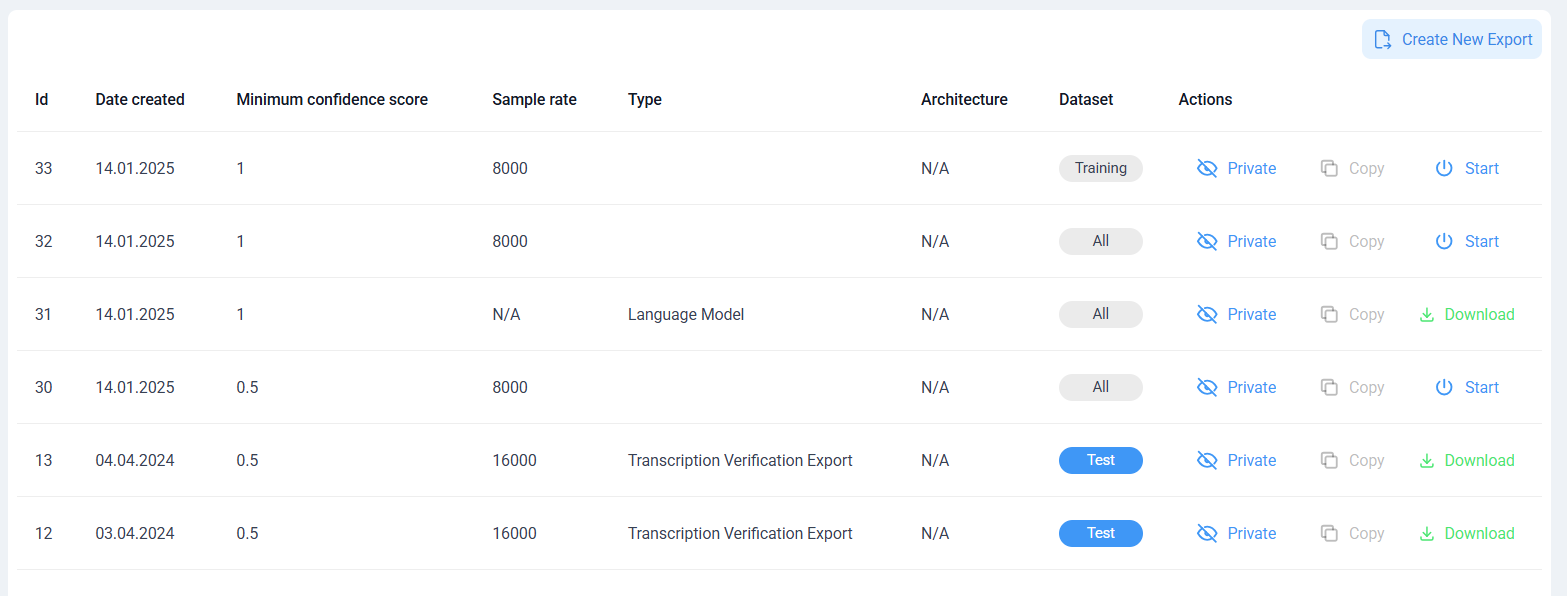
Figure 7 — Data preprocessing step.
2. Model fine-tuning
To create a fine-tuning task, open the Models section and click Create new version . The form defines the metadata and configuration required to start the pipeline:
- Name and Description — required fields for the new model version.
- Model and Model architecture — the model to fine-tune and its associated architecture.
- Parent model version — an existing version used as the basis for the new one.
- Use language model — indicates that the uploaded model is a language model.
- Upload Model and Upload Processor — the model file and the processor (tokeniser) file.
- Create — starts the fine-tuning pipeline once all information and files are provided.
The dialog displays the current upload status and prompts for both files before proceeding.
Infrastructure requirement
GPU-enabled infrastructure must be connected to the platform. Without the required computational resources the training pipeline cannot start.
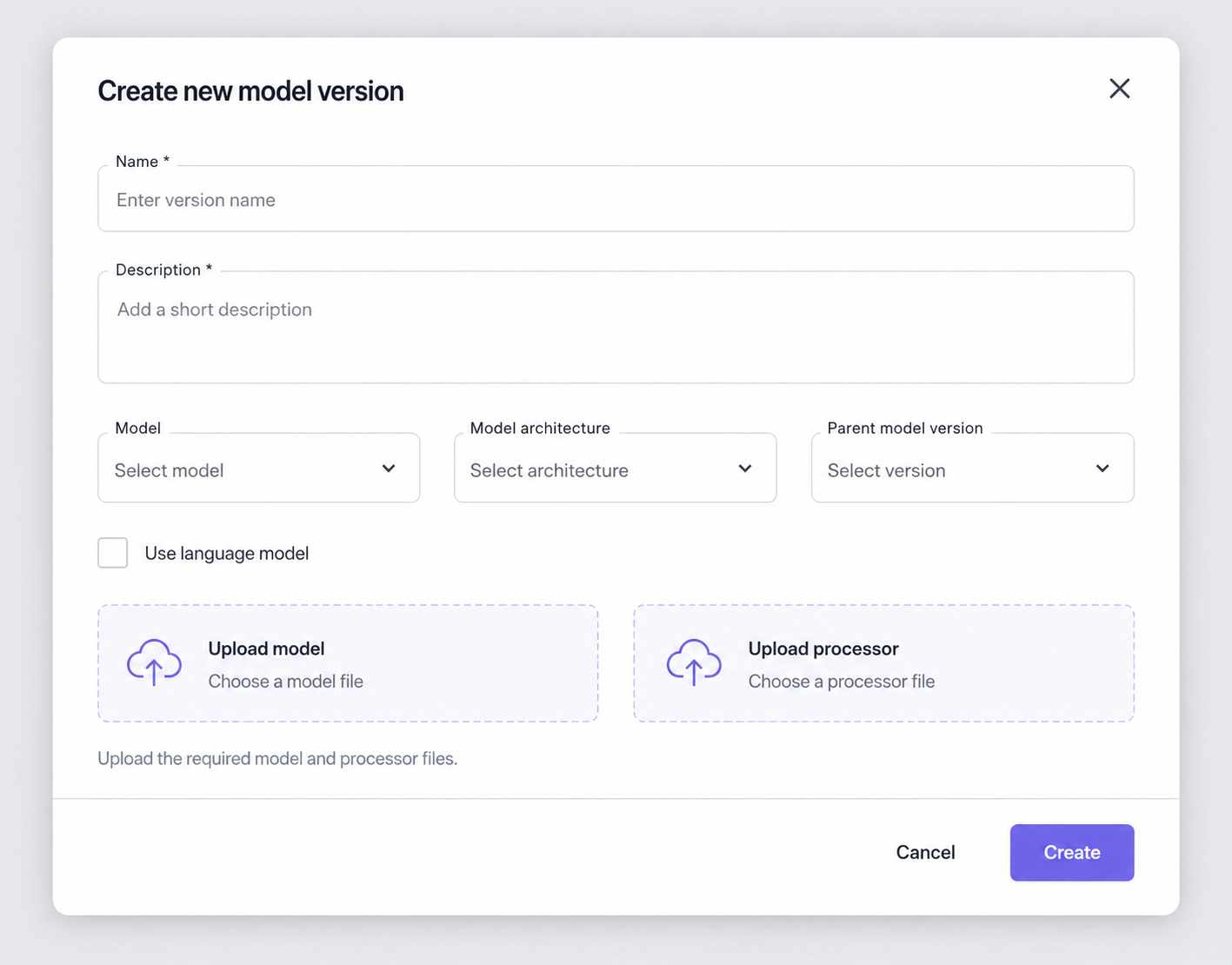
Figure 8 — AI model fine-tuning.
3. Evaluation
Completed model versions are evaluated against predefined datasets to produce measurable performance indicators for validation and comparison. The evaluation interface presents a tabular overview of all evaluation jobs, one row per instance:
| Field | Description |
|---|---|
| Id | Identifier of the evaluation record. |
| Name | Name assigned to the evaluation. |
| Description | Descriptive text associated with the evaluation. |
| Confidence score | Confidence level calculated for the evaluation. |
| WER | Word Error Rate. |
| CER | Character Error Rate. |
| Dataset | Dataset used in the evaluation, such as Validation or Test. |
| Total | Summary indicator of the evaluation task. |
| Progress | Percentage and progress bar showing the execution state. |
| Status | Execution status of the evaluation, such as Finished. |
| Delete / Open | Delete the evaluation entry, or open its details. |
The Create Evaluation button in the upper right starts a new evaluation. Once results confirm the model meets the required quality criteria, it can be published and made available in BlockFlow — so only validated and approved versions are exposed for production use.
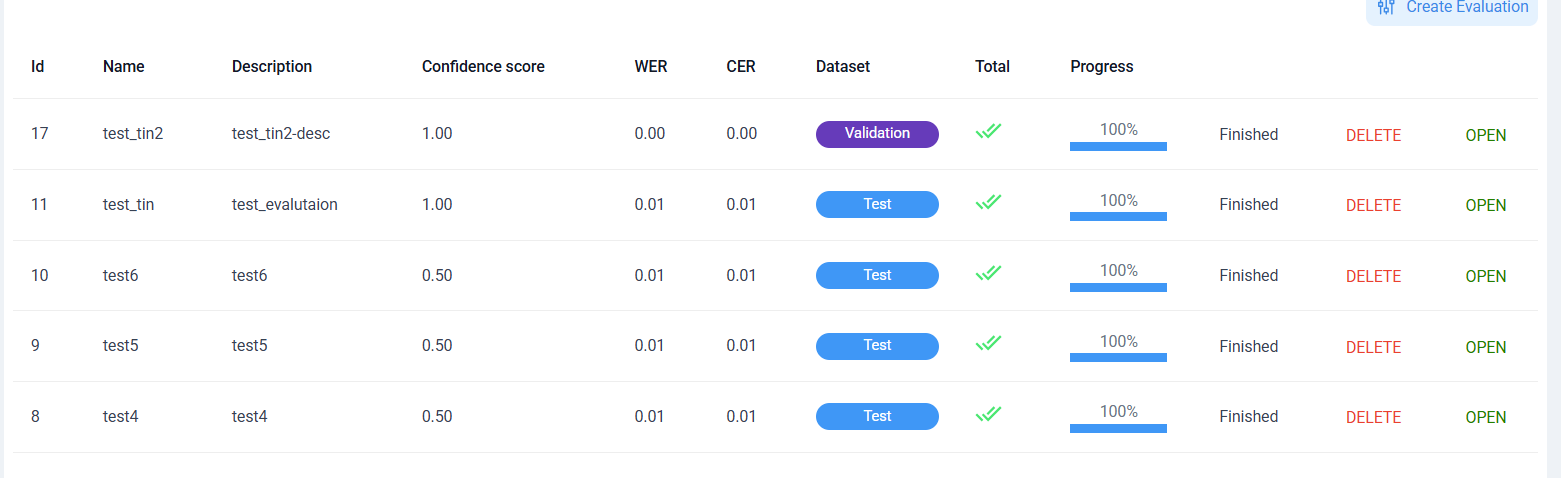
Figure 9 — Evaluation window.